Clear inspection context
Keep the client, project, asset, location, inspection date, scope, criteria and limitations with the inspection record.
Inspection Report for iPhone and Android
Record field inspections with guided checklists, photos, measurements, findings and signatures. Work offline on site, then generate a branded PDF or editable Word report with Pro.
Free access includes a limited inspection allowance, three starter templates, local saving and report preview. Pro is required to generate new PDF and Word reports.
Watch the inspection workflow from checklist entry and photo evidence through findings, signature and final report.
From first check to finished report
Choose a checklist, review the completed inspection, then generate a PDF with Pro. These real app screens show each step using demonstration data.
A completed report can include the client, project, asset, inspection location, inspection scope, checklist results, measurements, findings, linked photographs, captions, inspector details and signature. Pro can generate the captured inspection as a branded PDF or editable Word report.
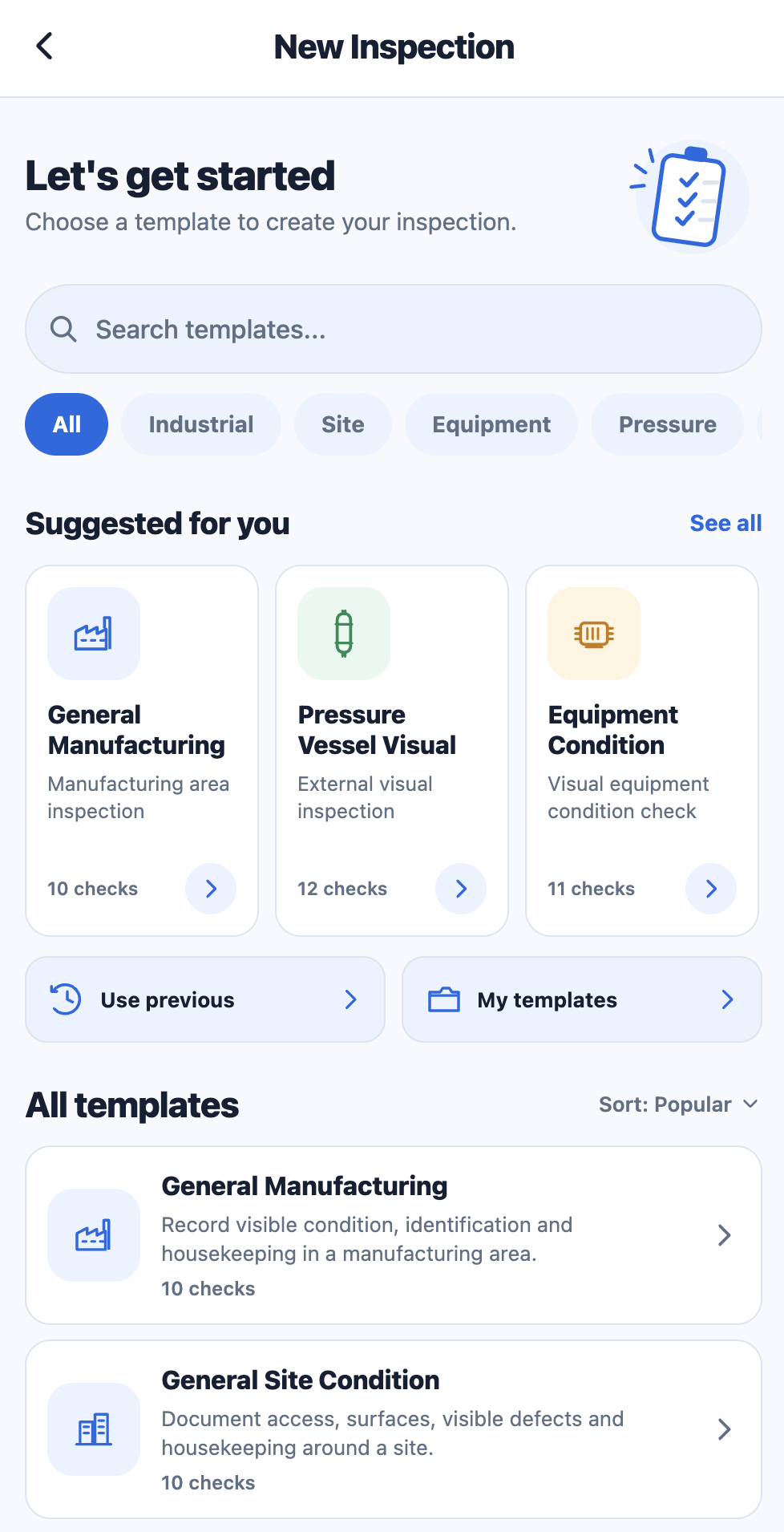
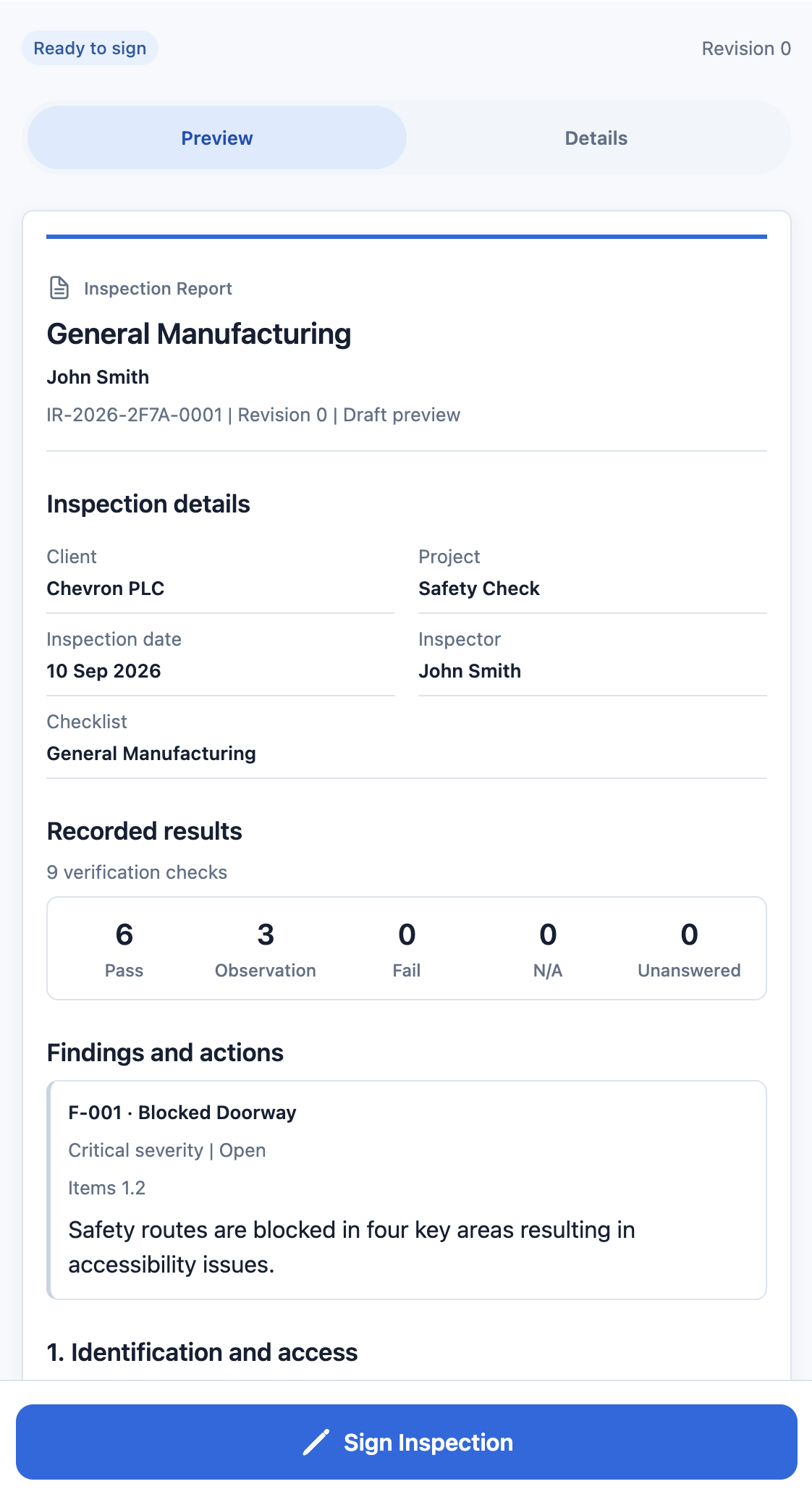
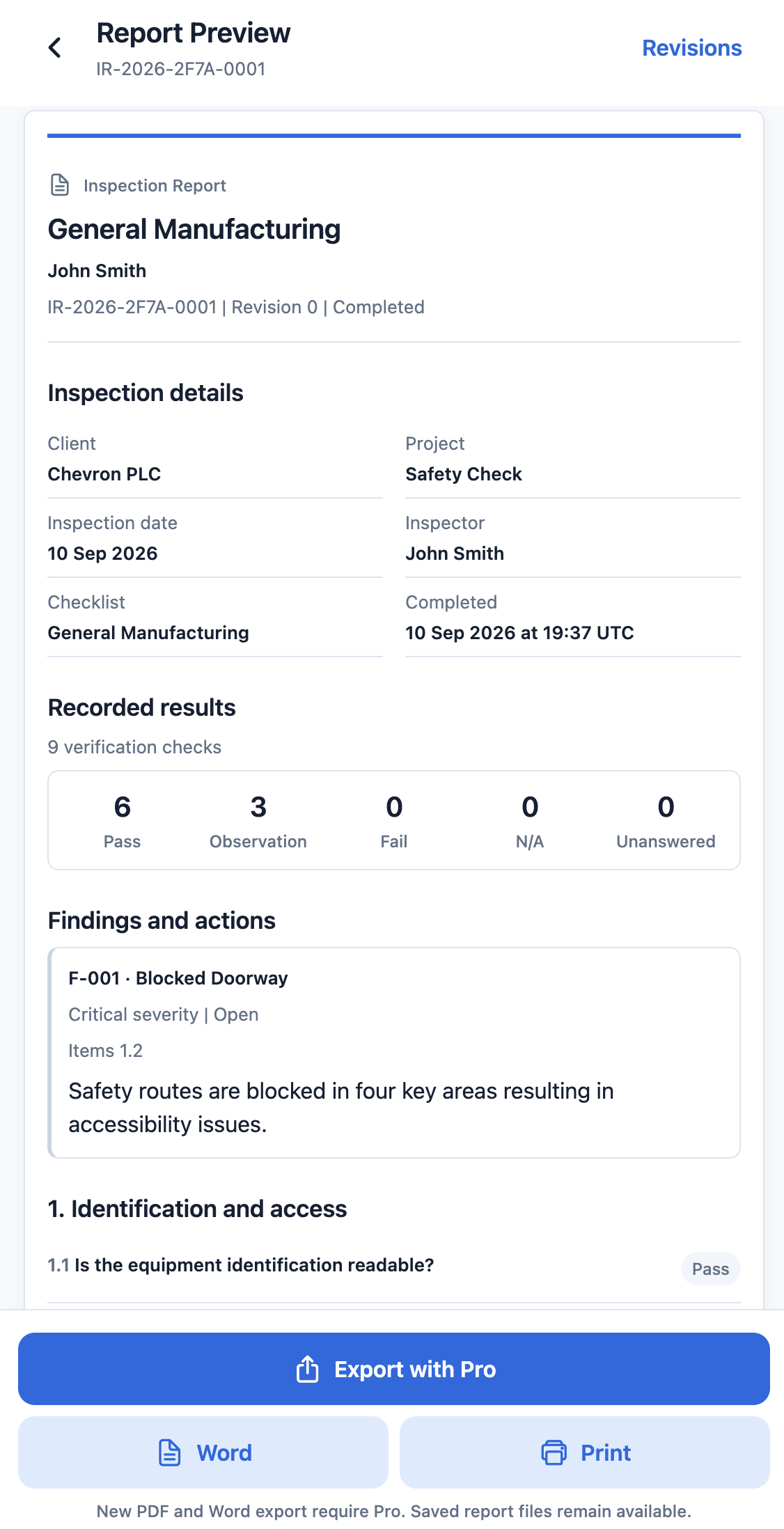
Keep the client, project, asset, location, inspection date, scope, criteria and limitations with the inspection record.
Caption photos and link them to checklist items or findings instead of sending an unlabelled collection of inspection images.
Record defects and observations, resolve them later, reopen them when required and keep the history attached to the inspection.
Pro generates a PDF for sharing or an editable Word copy from the captured inspection record.
Field inspection workflow
Record the inspection while you are on site instead of rebuilding the report afterwards.
Choose a starter template or published custom checklist. Add the client, project and asset details required for the inspection.
Use Pass, Observation, Fail or N/A. Add notes, structured measurements, photographs and linked findings where required.
Review the completed inspection, add the signature and generate a branded PDF or editable Word report with Pro.
Inspection reporting software
Inspection Report is mobile inspection reporting software for individual inspectors, engineers and contractors who need structured records without team dashboards, user seats or enterprise administration.
Start with one of 20 inspection templates. Pro includes the custom inspection checklist builder for creating your own reusable inspection forms.
Capture or import photo evidence, add captions, link images to findings and inspection items, then include that evidence in the final report. Pro adds photo annotation.
Keep inspections linked to the correct asset, use app-generated QR labels for lookup, and return to earlier inspection history during future visits.
Record findings with supporting evidence, resolve or reopen them, revisit the asset, and keep issued report revisions separate from later corrections.
Mobile inspection app
Use Inspection Report where you need a structured inspection record, photographic evidence and a finished document rather than a loose set of notes and images.
Offline inspection app
Inspection records and photographs are stored locally while you work. Create a complete backup file, choose where to save it through your device, and restore the workspace when needed.
No separate inspection-data account is required. Purchases, purchase restoration and periodic Pro entitlement verification require internet access.
Create a portable backup and choose a destination through your phone's file and sharing controls.
Previously generated PDF and Word report files remain accessible after Pro expires.
Inspection checklist app
Start inspections faster with structured templates instead of rebuilding the same inspection form for every visit.
Yes. Pro includes a custom inspection checklist builder. Create repeatable inspection forms using typed fields, required responses, measurements and evidence rules, then use the published checklist for future inspections.
Inspection report software
Inspection Report is built around one continuous record. The client and asset details entered at the start, the results captured during the inspection, the photographs and findings added on site, and the signature at completion all feed the report output.
Capture the inspection subject and context once instead of manually retyping the same information when the report is created.
Record measurements with explicit units alongside inspection results where a checklist requires quantitative evidence.
Keep photo evidence attached to the inspection and maintain its relationship to checklist items and findings in the finished report.
Keep previously issued inspection report revisions available even when a later correction is started.
Inspection Report pricing
Free access lets you test the inspection workflow. Pro unlocks the tools for regular inspection reporting, more evidence and new PDF and Word exports.
A deliberately limited free tier for evaluating the app before upgrading.
Or $79.99/year, billed annually. About 33% less than paying monthly for 12 months. Your app store shows the applicable local price before purchase.
| Feature | Free | Pro |
|---|---|---|
| Starter inspection templates | 3 | All 20 |
| Custom checklist builder | No | Included |
| Photos per inspection | Up to 5 | Up to 200 |
| Photo annotation | No | Included |
| Report preview | Included | Included |
| Generate new PDF reports | No | Included |
| Generate new Word reports | No | Included |
| Company logo branding | No | Included |
| Backup and restore | Included | Included |
Previously generated report files remain accessible after Pro expires. An active Pro entitlement is required to generate new PDF or Word reports.
Inspection Report FAQ
Inspection Report is intended for individual inspectors, engineers and contractors who need to record structured inspection information in the field and produce a clear document afterwards. It is designed around the inspection record itself rather than staff management, team seats or enterprise workflow administration.
Capture checklist results, photographs, measurements and findings on your phone, then generate a branded PDF or editable Word report with Inspection Report Pro.