01
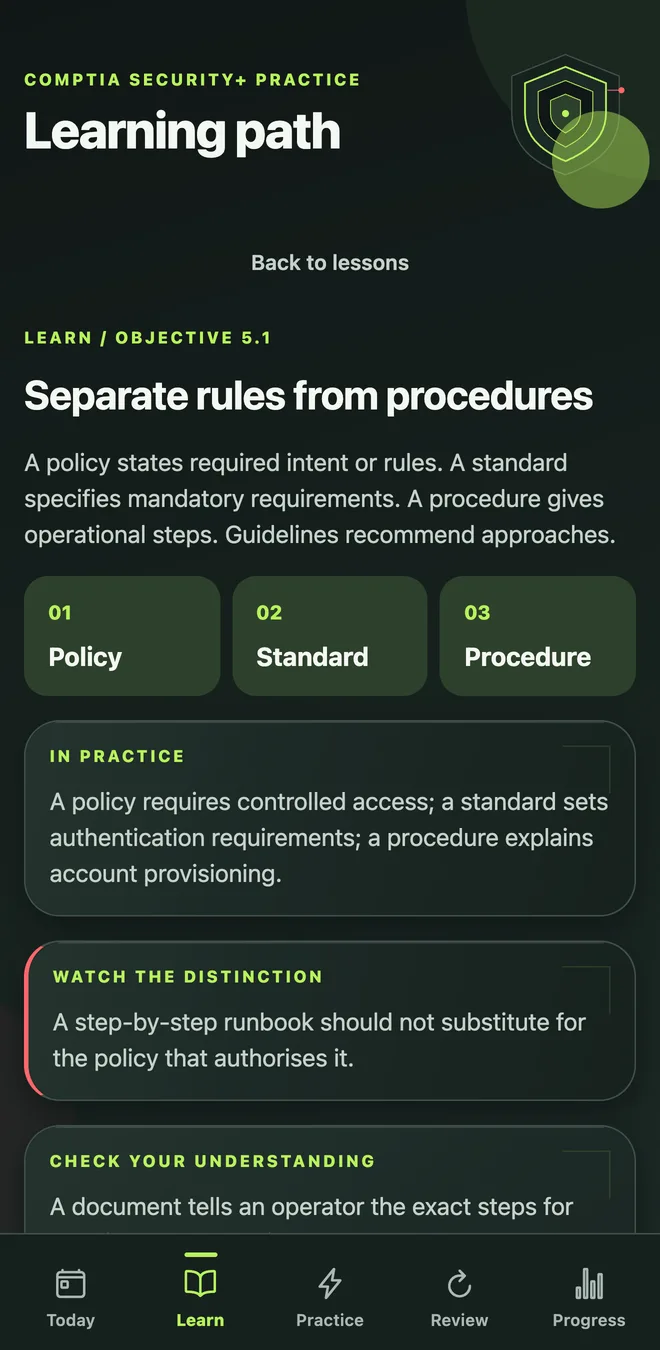
Learn the decision
A principle, a worked example and a quick check before you practise.
 SY0-701 · Security+ study app
Know what to study.
Know why it works.
Learn the concept, practise the decision and return to what needs work. A daily study route across all five Security+ domains.
See how you’ll study

iPhone and Android release planned. Store links coming soon.

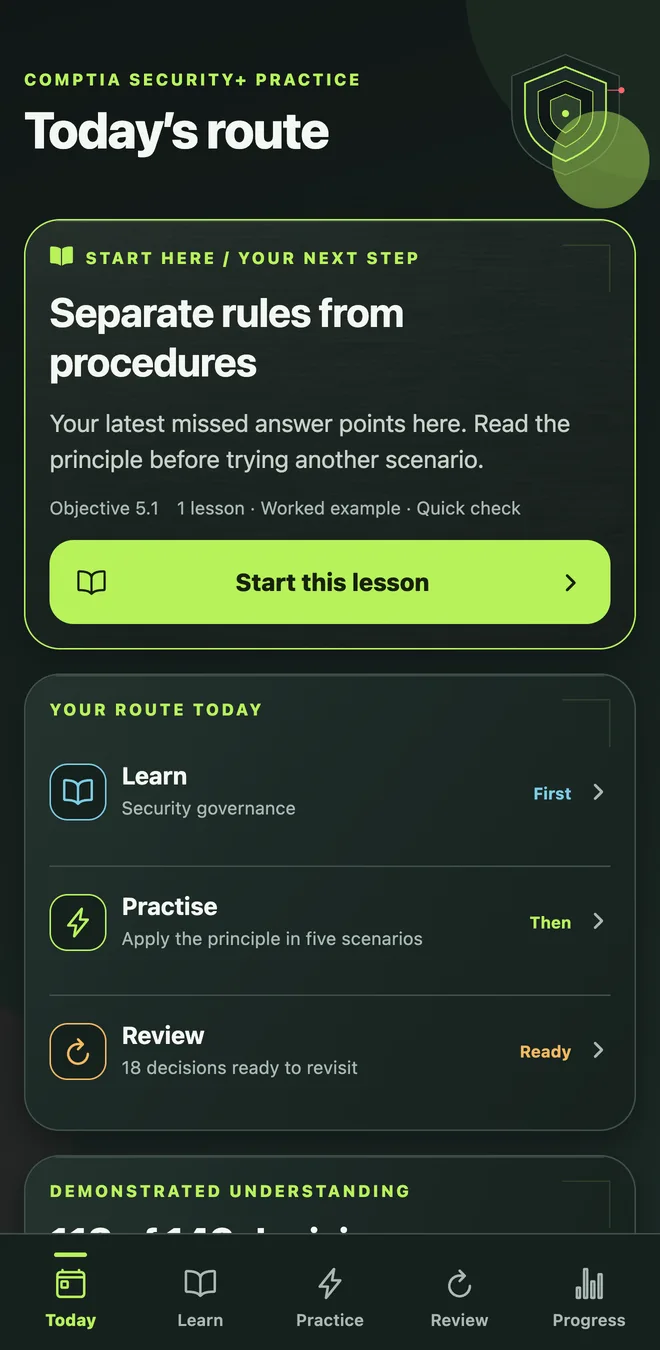 Your next step, ready.
Start with a short assessment, then follow a lesson, practise the topic and review what you missed. Your recent answers help choose the next focus.
A principle, a worked example and a quick check before you practise.
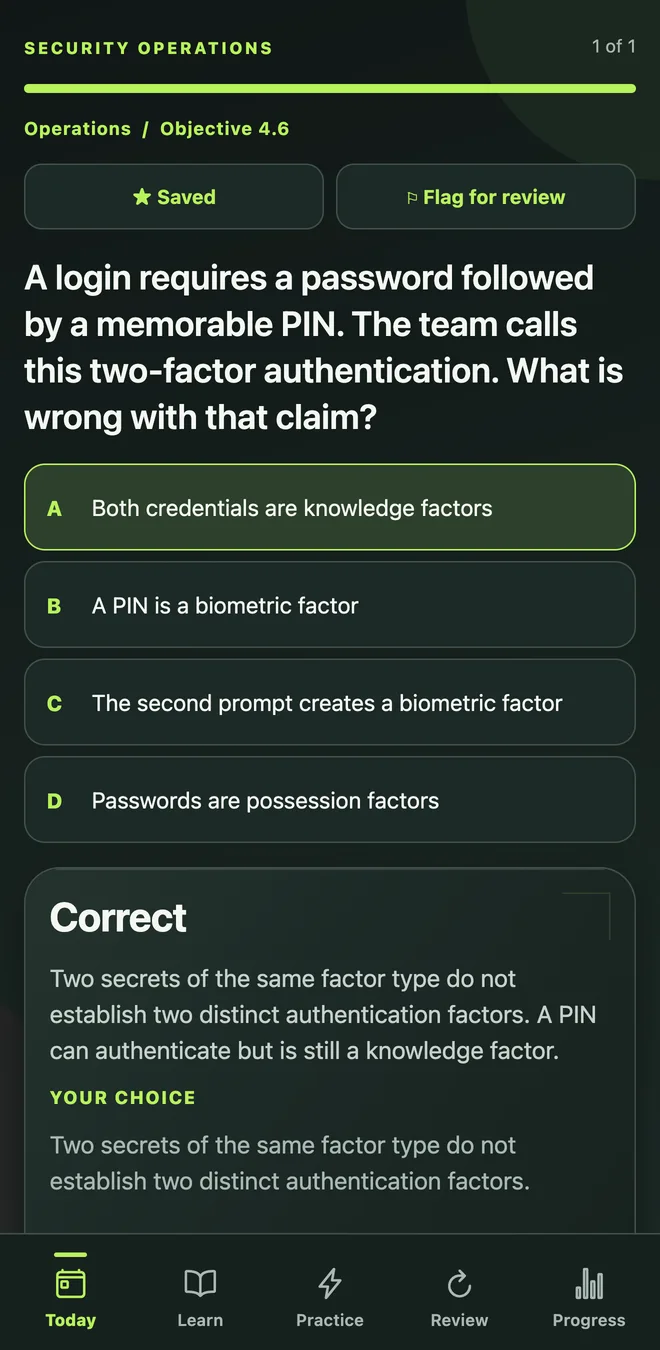
See why your choice works, why another option falls short and what to remember.
Allow the required connections and block the risky paths in the firewall exercise.
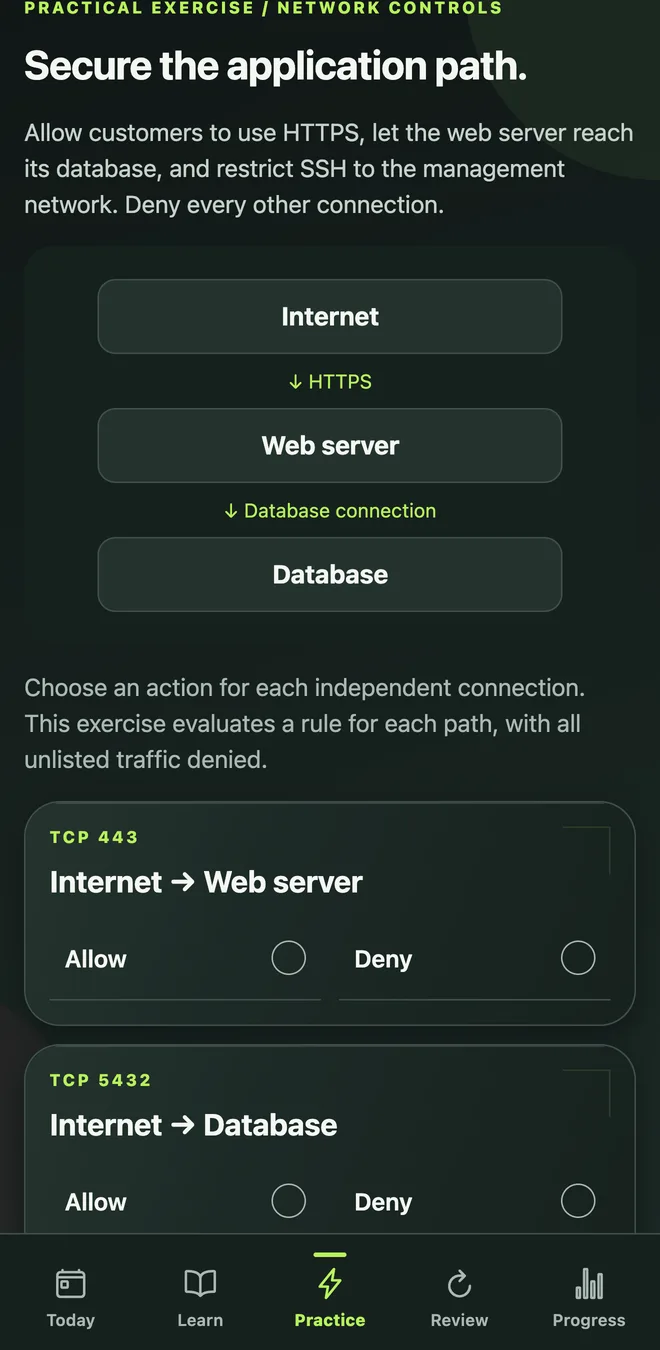
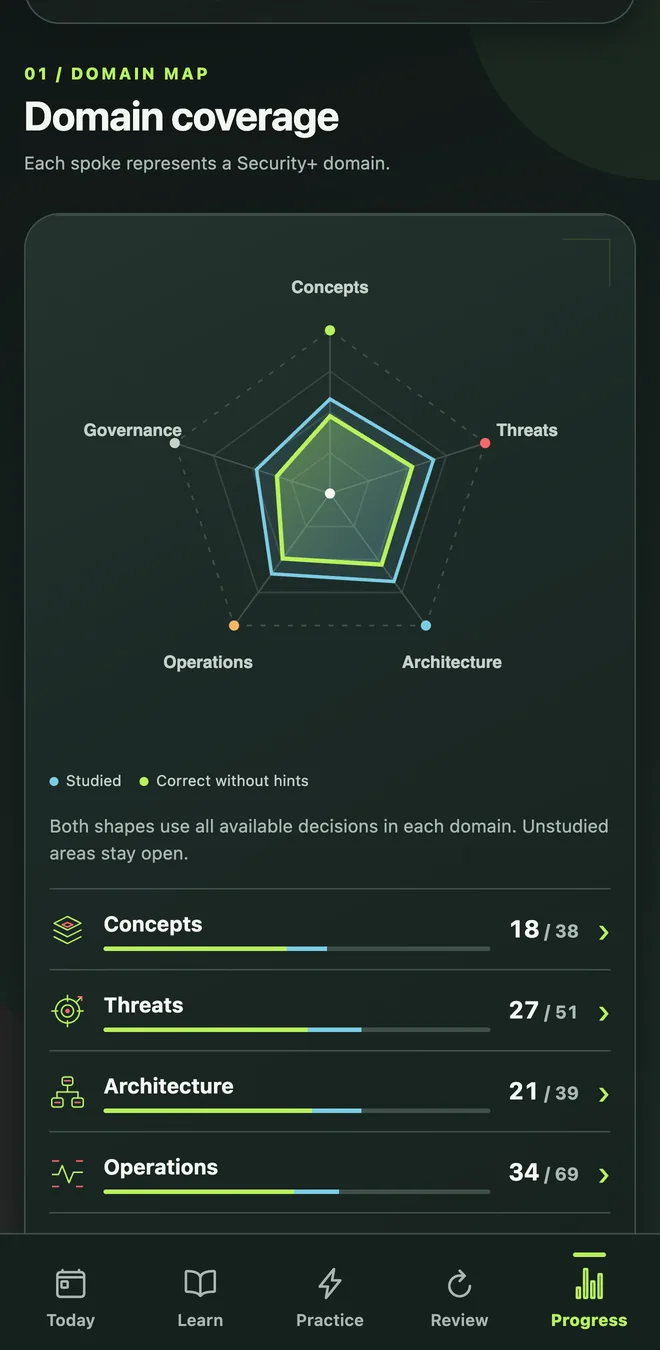
Actual app screens with sample study data. Select a screen to view it in full.
See the decisions you’ve studied, where your answers are stronger and what still needs attention. Domain views help you choose the next topic.
Track distinct decisions, so repeated question variants don’t inflate topic coverage.
Recent misses and due reviews guide your next session.
Return to due questions, saved items and topics that need another look.
Practice estimates guide your study. They aren’t official exam scores or a guarantee of passing.
The study route covers the five published SY0-701 domains. The percentages here are official exam weights, rather than your score or progress.
The exam combines multiple-choice and performance-based questions.
Read the official SY0-701 objectives ↗Controls, identity and cryptography
Attack patterns, weaknesses and defences
Networks, data and secure designs
Monitoring, access and incident response
Policies, risk and business decisions
Ten free guides with direct answers, worked examples and reasoning checks. Pick the distinction you keep mixing up.
The difference between hashing, encryption, and encoding is what each does to data: hashing creates a one-way digest for comparison, encryption protects data with a key, and encoding changes its format so another system can read it. Choose hashing to check integrity, encryption for confidentiality, and encoding for compatibility.
02The difference between symmetric and asymmetric encryption is the keys: symmetric encryption uses the same secret key to encrypt and decrypt, while asymmetric encryption uses a related public and private key pair. Use symmetric encryption for bulk data; use public-key methods for tasks such as secure key establishment, signatures and some encryption workflows.
03To remember the differences between IDS, IPS, SIEM, SOAR, and EDR, attach a job to each: IDS detects suspicious activity, IPS can block it, SIEM connects events from logs, SOAR runs response workflows, and EDR investigates and responds on endpoints. In a scenario, look for the action and the place it happens.
04The difference between authentication, authorization, and accounting is the question each answers: authentication checks who you are, authorization decides what you may do, and accounting records your activity. Remember AAA as identity, permission and record. A successful login doesn’t automatically grant access to every file or action.
05Common attacks differ by how they reach a victim or use credentials: phishing uses deceptive messages, smishing uses texts, and vishing uses voice calls. Password spraying tries a few passwords across many accounts; credential stuffing reuses stolen login pairs; brute-force guessing systematically tries candidates. Identify the delivery channel and the login pattern separately.
06For Security+, memorise common service ports together with their purpose and transport: SSH 22, DNS 53, DHCP 67/68, HTTP 80, HTTPS 443, SMTP 25, SMB 445, LDAP 389 and RDP 3389 are a useful starting set. Then learn secure alternatives, monitoring and VPN ports. This is a study shortlist, not a guaranteed exam-only list.
07Firewalls, VPNs, proxies, WAFs, and network segmentation work together by controlling different parts of a connection: firewalls enforce traffic rules, VPNs protect a tunnel, proxies mediate requests, WAFs inspect web requests, and segmentation restricts movement between zones. Use them in layers, with each control matched to the traffic and risk it can handle.
08The difference between vulnerability scanning, penetration testing, threat hunting, and risk assessment is their aim: scanning finds potential weaknesses, penetration testing tries authorised attacks to validate exposure, threat hunting looks for hidden malicious activity, and risk assessment weighs likelihood and business impact. Choose the activity that answers the organisation’s actual question.
09To work out ALE, SLE, ARO, RTO, RPO, MTTR, and MTBF questions, first separate money, recovery targets and observed times. SLE = asset value × exposure factor; ALE = SLE × ARO. RTO is the target recovery time, RPO the acceptable data-loss window, MTTR average repair or recovery time, and MTBF average operating time between failures.
10For Security+ performance-based questions, expect to apply security knowledge in a task rather than only choose a letter. Approach each PBQ by reading the goal, checking the constraints, examining the supplied evidence and making the smallest correct changes. Practise explaining your decisions, managing time and checking that every requested part is complete.
CompTIA Security+ Practice is an independent study app from Cyber Phoenix LTD. CompTIA and Security+ are trademarks of CompTIA. The app isn’t affiliated with or endorsed by CompTIA.
Yes. Practice includes explanations for the correct choice and the alternatives, plus hints when you need help. Concept lessons explain the principle before practice.
Yes. The firewall exercise asks you to allow required connections and deny risky paths. It helps you apply network controls; it doesn’t reproduce a live exam question.
The iPhone and Android release is planned. Verified App Store and Google Play listing links will appear here when available.
CompTIA Security+ PracticeiPhone and Android release planned. While you wait, work through the free study guides above.