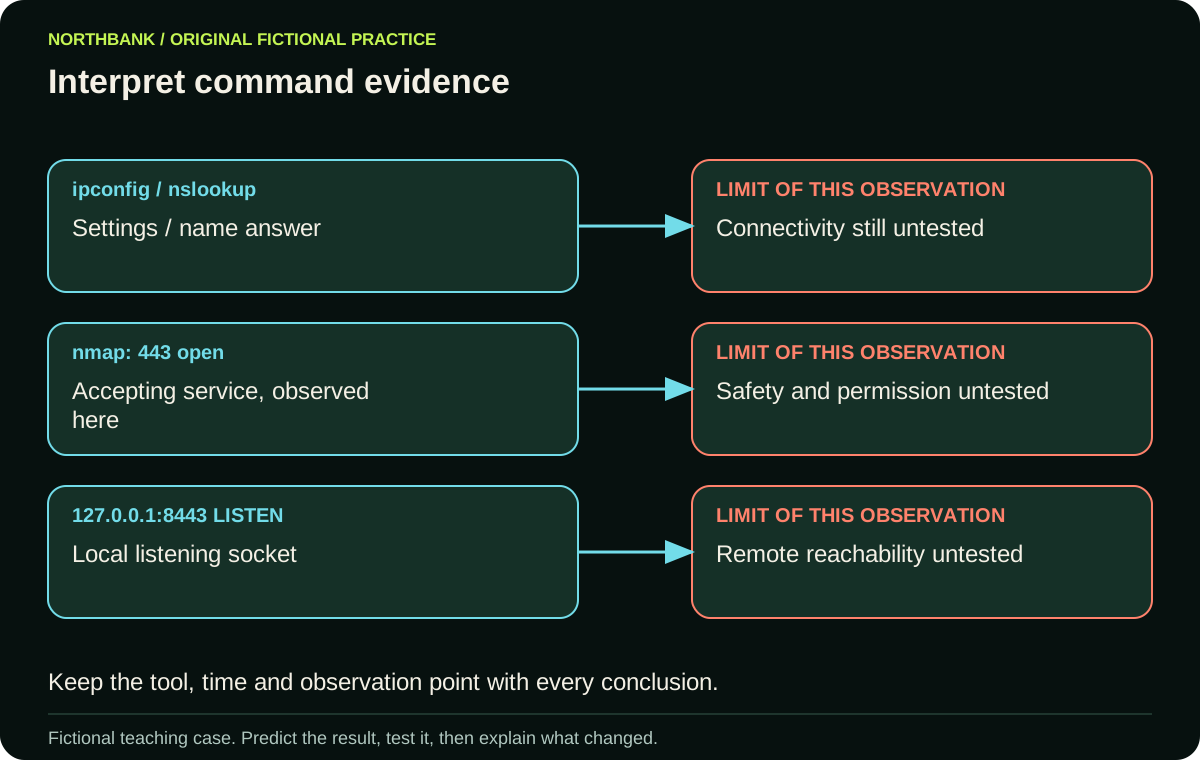
Which command answers which question?
Each command answers a different question about the system or connection. Start by writing the question you need to resolve, then identify the relevant output field. This is more useful than memorising an isolated command name.
In the fictional Northbank case, a workstation cannot open its report. We have a configured address, a DNS answer and an observed accepting web service. Those are three observations, not a completed explanation of the report failure. The user might still reach the wrong service, fail a TLS check or lack access to the requested report.
Scroll sideways to see every column.
| Tool or output | Useful evidence | Still unresolved |
|---|---|---|
| ipconfig | Configured address, gateway and resolver | Whether those systems respond |
| nslookup | Selected resolver’s name answer | Whether the application works |
| ping | Observed echo response or missing reply | Application access and permissions |
| tracert / traceroute | Replies from a path investigation | Why an intermediate reply is missing |
| netstat | Local connection or listening-socket state | Every remote client’s reachability |
| nmap | Observed port state from this scan | Application safety and user permission |
| Packet capture | Traffic visible at this collection point | Activity outside the capture’s coverage |
What should I read in ipconfig and nslookup output?
Read client settings in ipconfig and the actual name answer in nslookup. Microsoft documents ipconfig and nslookup separately because listing interface configuration and querying name resolution are different operations.
Our invented client has address 192.0.2.10, gateway 192.0.2.1 and DNS server 192.0.2.53. Compare each setting with the approved design. A value that looks plausible could still be wrong for this device. If the values match, record that result and move to the next unanswered question.
The resolver answers portal.northbank.example with 192.0.2.80. That establishes the displayed answer from that query. It does not prove that 192.0.2.80 returns the required report. Change the resolver to one with a different answer and the request can reach a different endpoint, even when the typed name stays the same.
Does a missing ping or tracert reply prove a broken network?
A missing reply leaves several possible causes; it does not identify a broken router by itself. Filtering, reply behaviour or a different network condition can affect the observation. Read whether later hops or the destination respond before deciding what the gap means.
Suppose hops one and two reply, hop three does not, and the destination replies. Claiming that hop three cannot forward traffic goes beyond this evidence. The investigation observed no reply from that hop under these probe conditions.
A successful reply also leaves the report’s application checks unresolved. Connect the command output to the separate DNS, transport and TLS stages rather than treating reachability as permission.
What do open, closed and filtered mean in a scan?
These labels describe the scan’s observation of the port, not a verdict on the service. The Nmap port-state documentation distinguishes an accepting service, a reachable port without a listening application, and a state where filtering prevents that determination.
In our authorised fictional lab, 443/tcp is open and 22/tcp is filtered. The first supports an accepting service at that observation point. The second does not establish whether an SSH service is listening behind the filtering. Neither label establishes whether the report is safe to download.
Keep the source, target, method and time with the result. A scan from a management segment and a scan from a visitor segment can observe different permitted paths. Use owned or explicitly authorised lab systems for real practice.
How do I practise interpreting command output?
Practise by attaching one supported conclusion and one unresolved question to each supplied output. The downloadable case uses documentation addresses, a local loopback listener and an HTTP refusal. No external scanning is needed.
Write your conclusions before opening the worked answer. Then change the listener from a remotely reachable address to 127.0.0.1. Explain why a local listener does not establish that another machine can connect to it. Finally, change the application result to a successful authorised report request and identify the new evidence you would have.
Continue with the broken-connection practical to choose a repair from these observations.